


Your CMMS Shouldn’t Punish You for Getting More People to Use It
Nobody wants to pay for software capacity they aren't using. That's why per-user pricing is a simple, attractive offer: you only pay for the exact number of people using the software. If you're a small business, it makes perfect sense: why pay the same price as a massive enterprise when there are only a few of you on the team, right?
But here’s where per-user pricing can become a problem with a CMMS: the more successful you are at getting people to actually use the system, the more expensive that system can become.
Think about how that plays out. You implement a per-user CMMS, your technicians start using it, work orders are being completed, asset histories are becoming more accurate and preventive maintenance is finally being tracked consistently. That’s exactly what you want from the software.
Then a manager needs access. Another technician joins the team. Operations wants more visibility. Finance could benefit from some of the information and IT realizes they could manage their own assets and requests in the same system.
Suddenly, five users becomes 10 or 20, and with some software, the bill grows right along with adoption.
So what do you do? Stay and absorb the higher costs? Start over and hunt for another CMMS with a lower per-user rate? Or get pulled into lengthy pricing negotiations that may leave you locked into a contract for the next year?
That has never made much sense to me.
At MaintenanceCare, we’ve always looked at it differently. If more people need access because it helps the operation run better, that shouldn’t become a penalty. That’s what we want for you in the first place: success.
When Pricing Starts Driving the Way You Work
The problem with per-user pricing isn’t only the added cost. It’s what can happen when organizations start making operational decisions around that cost.
Instead of asking who would benefit from having access, the conversation can become about how many licenses the budget can support. Teams start wondering whether another technician really needs their own login, whether two employees can share an account or whether a manager can simply ask Maintenance to send over the information they need.
Before long, workarounds start forming. A CMMS should support the way your team works. Your team shouldn’t have to change the way it works just to avoid another software fee.
Shared Logins Create More Problems Than They Solve
Shared accounts can seem like an easy way to reduce the number of paid users, but they also create some big problems.
If several technicians are using the same maintenance login, the system may show that a work order was completed, but it becomes much harder to know who actually did the work. That affects accountability, reporting and your ability to understand what is really happening across the team.
And maybe you’re thinking, “We can just have each person sign off with their name.”
Sure, you can. But then someone still has to go back through those work orders and manually track who did what.
At that point, you haven’t really solved the problem. You’ve just moved the work somewhere else.
Individual accounts make it easier to see who completed a repair, who has the heaviest workload, who worked on an asset the last time it failed and how long certain jobs are actually taking. Shared accounts, forget it, that information is a muddled mess.
There’s also a security issue. If someone leaves the organization and still knows the shared password, those credentials need to be changed and handed to everyone else using that account. We all know how that goes, not very well.
Access Shouldn’t Need a Business Case
Sometimes the real problem isn’t whether someone could benefit from access. It’s everything that has to happen before they can get it.
With per-user pricing, adding that person can turn into a small approval process of its own. Someone has to check the budget, justify the extra seat and wait for the request to make its way through the right channels.
Meanwhile, the person who needs access is still waiting.
“Just waiting on approval for your login” shouldn’t be part of the workflow.
If someone has a legitimate reason to be in the system, it should be as simple as assigning the right permissions, giving them a login and letting them get to work.
The software is supposed to remove friction from maintenance, not create another layer of it.
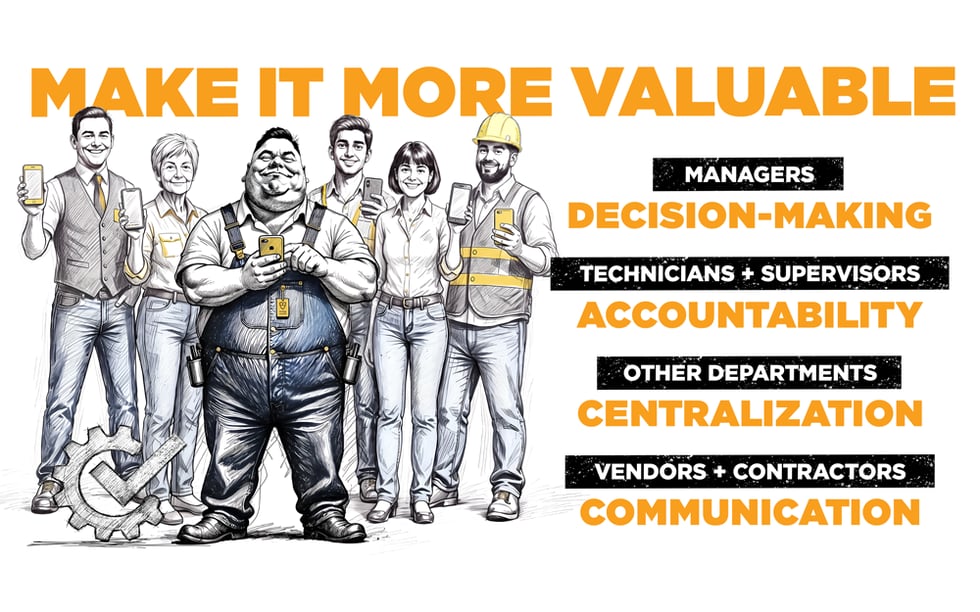
More People Using Your CMMS Can Make It More Valuable
A CMMS is only as useful as the information inside it, and that information becomes more complete when the right people are able to participate.
If parts of the organization are working around the system because they don’t have access, information starts ending up in emails, spreadsheets, notebooks, phone calls and conversations that never make it back into the CMMS.
Eventually, someone has to piece all of that information together.
The better approach is to make the CMMS the easiest place to work. Give technicians their own accounts, let managers see what’s happening without waiting for a report and allow other departments to participate when it makes sense.
Here’s a simple way to look at it:
When Adoption Starts Costing More
With a per-user model, the math is pretty straightforward. Add another technician, supervisor or manager and you may be adding another recurring charge. A few extra users might not feel significant at first, but those additional seats can add up as the team grows.
What I find interesting is that the cost can increase at the exact moment adoption is improving.
You’ve finally got more people using the CMMS, more information going into the system and more departments seeing value from it, and somehow that success can come with a higher monthly bill. At times it can feel like a sneaky trap - bait and hook kinda scenario.
But there are other options that don’t charge per user. With MaintenanceCare, each license includes unlimited users and no long-term contracts. They’re pretty confident you’ll want to stay without needing to lock you in.
That means you can decide who should have access based on what makes sense for that location, rather than what another login is going to cost.
We’ve broken down the numbers in more detail in our guide to unlimited-user CMMS pricing, including how different pricing models can affect growing maintenance teams.
You can also see how MaintenanceCare structures its CMMS pricing and plans if you want to compare the options directly.
Whether the right number is 5 users or 50, the decision doesn’t have to start with, “How much is another seat?”
And I think that’s an important difference.
Pricing Should Get Easier as Your Team Grows
A good CMMS pricing model should make it easier to grow, not harder.
As your team changes, pricing should stay predictable enough that you understand what you’re paying each month without worrying that another hire, another department or broader adoption is going to push the bill higher.
Flexibility matters too. If your needs change, you shouldn’t feel boxed in by a long-term contract just to keep using the system.
That’s where MaintenanceCare takes a different approach, unlimited users, no long-term contracts and one flat monthly rate, so as more people are added, the effective cost per user actually goes down instead of up.
The bigger idea is pretty simple: as adoption grows, the value of your CMMS should grow with it.


.svg)